IBM Granite 4.1 Is Here: How to Run the New Open Model Family Locally and Where It Actually Fits
IBM Granite 4.1 launched with new 3B, 8B, and 30B open models, long context, Apache 2.0 licensing, and practical local deployment options. Here is what changed and how to run it.
Intro
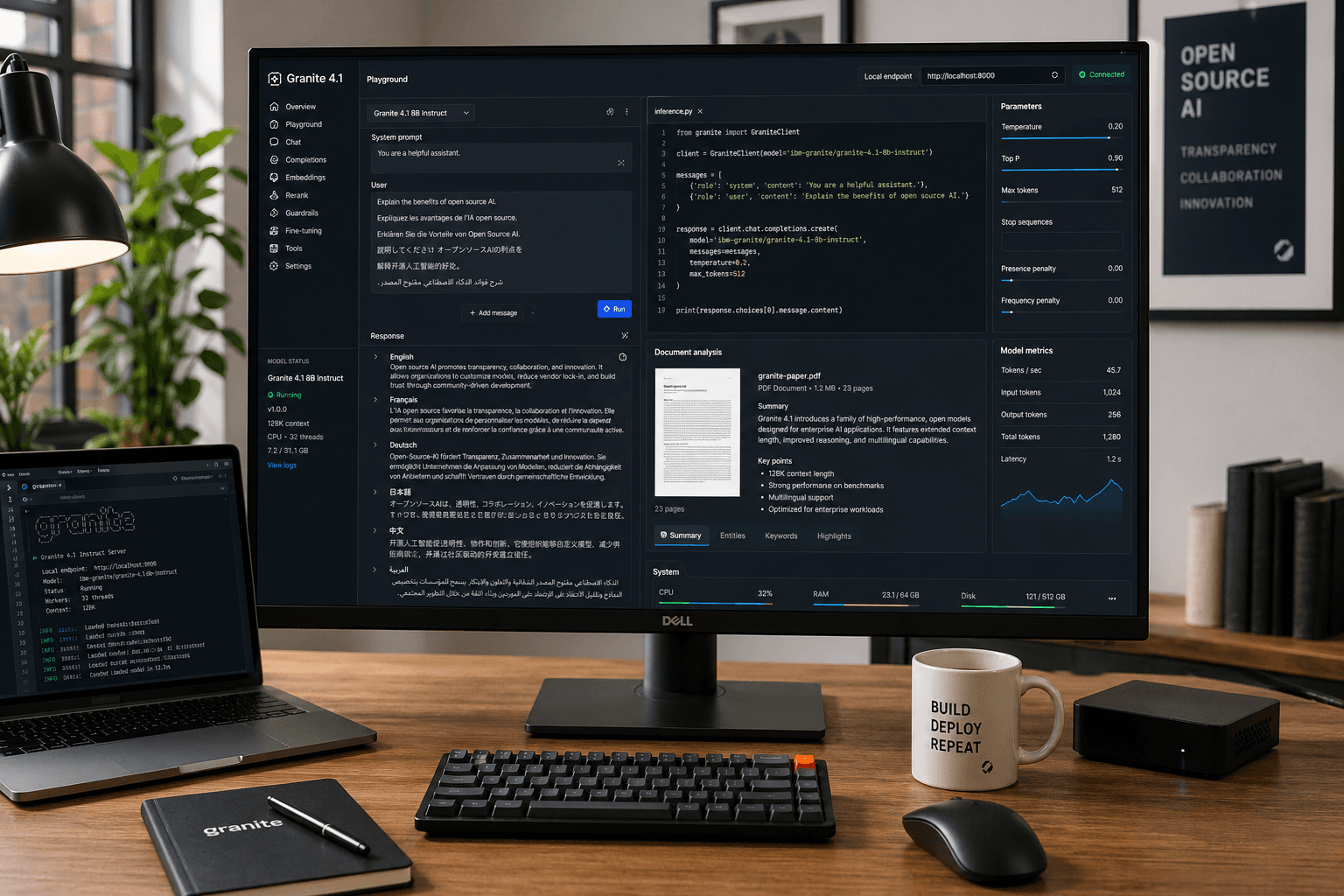
IBM’s Granite family has usually been discussed in enterprise AI circles, but the Granite 4.1 release makes it more interesting to a much wider group of builders. The new family brings 3B, 8B, and 30B dense language models, a reported 512K context window, Apache 2.0 licensing, multilingual support, coding-oriented features like Fill-in-the-Middle, and straightforward availability across places developers already use, including Hugging Face and Ollama.
That combination matters because the open-model conversation in 2026 has become brutally practical. People are no longer asking only, “Is it good on benchmarks?” They are asking:
- Can I run it on the hardware I already have?
- Is the license business-friendly?
- Does it support tool use, structured output, and code tasks?
- Can I move from testing to a real workflow without rebuilding everything?
Granite 4.1 enters that exact conversation. If you want a clear answer on what IBM released, how to test it quickly, and where it fits against the bigger wave of local and open AI tools, this guide is the useful starting point.
Table of Contents
- What IBM Granite 4.1 actually includes
- Why this release matters now
- How to run Granite 4.1 locally
- When to choose 3B, 8B, or 30B
- Where Granite 4.1 is a good fit
- Practical examples
- FAQ
- Conclusion
What IBM Granite 4.1 Actually Includes
IBM’s official model material and Hugging Face release pages position Granite 4.1 as a dense decoder-only model family rather than a mixture-of-experts design. The headline practical details are the ones developers care about first:
- Three core sizes: 3B, 8B, and 30B
- Long context: up to 512K tokens according to the release materials
- License: Apache 2.0
- Supported languages: English, German, Spanish, French, Japanese, Portuguese, Arabic, Czech, Italian, Korean, Dutch, and Chinese
- Use cases: summarisation, extraction, RAG, question answering, code tasks, function calling, multilingual chat, and FIM code completion
That sounds broad, but the important point is not that Granite 4.1 claims to do everything. The real point is that IBM is trying to make the family usable across business AI assistants, coding workflows, retrieval pipelines, and controlled enterprise deployments without making the licensing or deployment story painful.
Another notable part of the launch is the way it arrived. Granite 4.1 is not buried in a closed platform. It is visible in the open ecosystem, with release material on Hugging Face and runnable variants appearing in Ollama. That reduces friction for evaluation.
Why This Release Matters Now
Granite 4.1 is landing at a moment when the open-model market is splitting into two camps.
The first camp still wants the biggest possible open model and is willing to pay the memory and latency cost. The second camp wants models that are good enough, legally simple, and operationally predictable. That second camp includes internal tools teams, automation builders, analysts, product engineers, and power users who care more about repeatable workflows than leaderboard drama.
Granite 4.1 looks aimed squarely at that second group.
There are four reasons this launch deserves attention:
1. Dense models are easier to reason about operationally
Many teams still prefer dense models because they are easier to benchmark, quantise, and deploy consistently across different inference stacks.
2. Apache 2.0 keeps adoption friction low
In practice, a generous license can matter almost as much as raw capability. It makes internal pilots, commercial usage, and downstream customisation much easier to justify.
3. Long context is becoming a baseline expectation
If the 512K context claim holds up well in real workloads, that gives Granite 4.1 a meaningful role in document-heavy assistants, large codebase analysis, long meeting transcripts, and enterprise search workflows.
4. It meets developers where they already work
A model becomes much more relevant when it is easy to pull into familiar environments. Granite 4.1 showing up in Hugging Face and Ollama means people can test it without waiting for a complicated vendor workflow.
For ToolMintX readers, that matters because many useful workflows start with messy source material: support logs, docs, scraped text, research notes, code snippets, CSV exports, and long internal knowledge bases. A model that can summarise, extract, classify, and format structured answers cleanly is often more valuable than one that only looks good in benchmark screenshots.
How to Run Granite 4.1 Locally
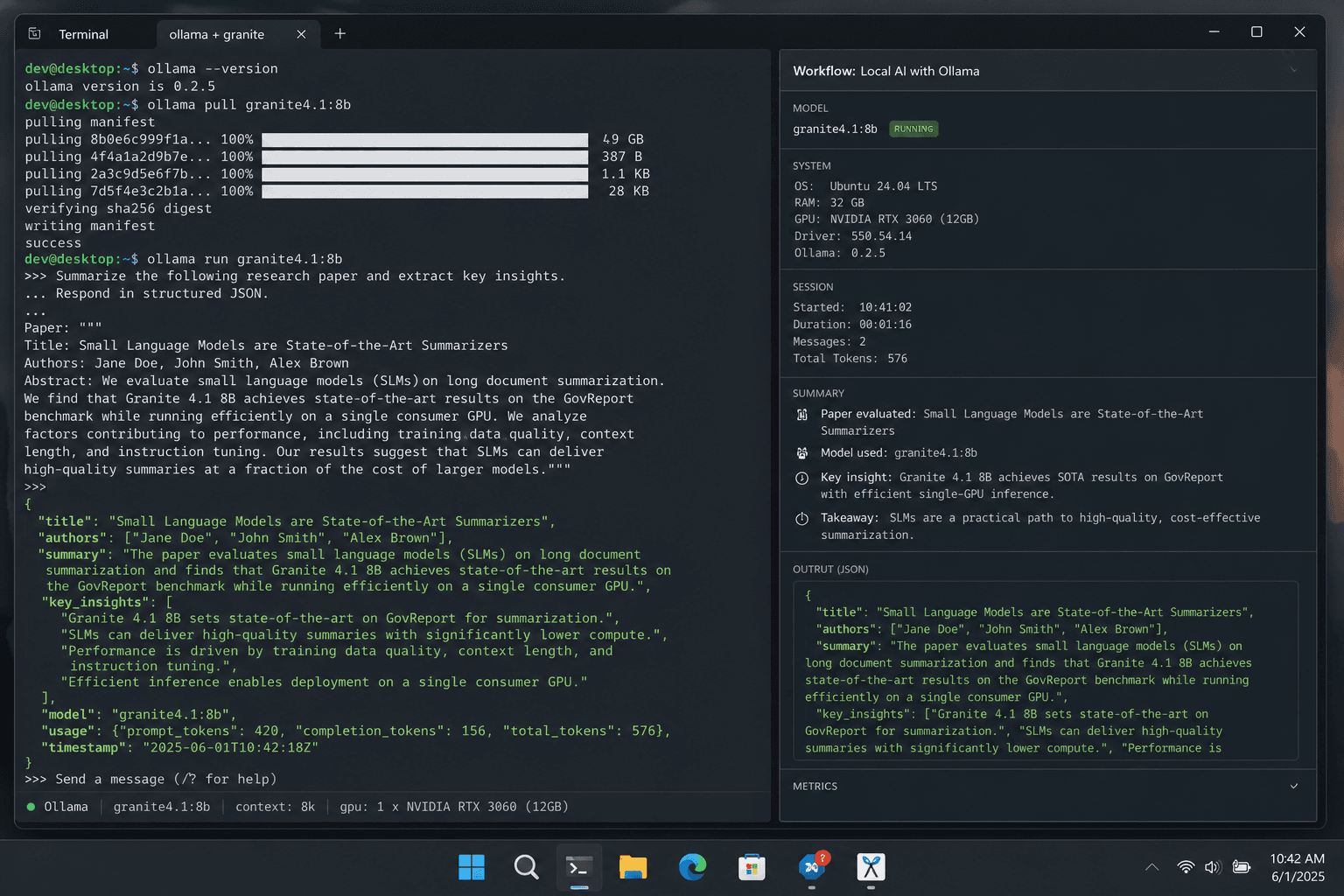
If you just want to try it quickly, there are two obvious routes: Hugging Face for direct model usage and Ollama for a simpler local runtime experience.
Step-by-Step: Fastest Local Test With Ollama
- Install the latest version of Ollama on your machine.
- Open a terminal.
- Run the default 8B instruct model:
ollama run ibm/granite4.1:8b
- If you want a different quantisation, pull a tagged variant such as:
ollama run ibm/granite4.1:8b-q8\_0
- Test a few real prompts instead of toy prompts. Good starter checks include:
- summarise a long article
- extract entities from a contract or policy note
- rewrite messy notes into clean bullets
- generate JSON output from an instruction
- perform a coding completion or patch explanation
Ollama’s model listing for Granite 4.1 highlights exactly the kinds of tasks most local users care about: summarisation, classification, extraction, question answering, RAG, code tasks, function calling, multilingual dialogue, and Fill-in-the-Middle completion.
Step-by-Step: Direct Use From Hugging Face
If you want more control, Hugging Face is the better route.
- Install
torch,accelerate, andtransformers. - Load the model from the
ibm-granite/granite-4.1-*repositories. - Start with the 8B model if you want a practical middle ground.
- Use GPU inference if available.
- Benchmark with your own workload before deciding the model is a fit.
This route is better when you want to test batching, custom prompts, eval scripts, or a fuller application stack.
When to Choose 3B, 8B, or 30B
This is the question that matters more than the launch headline.
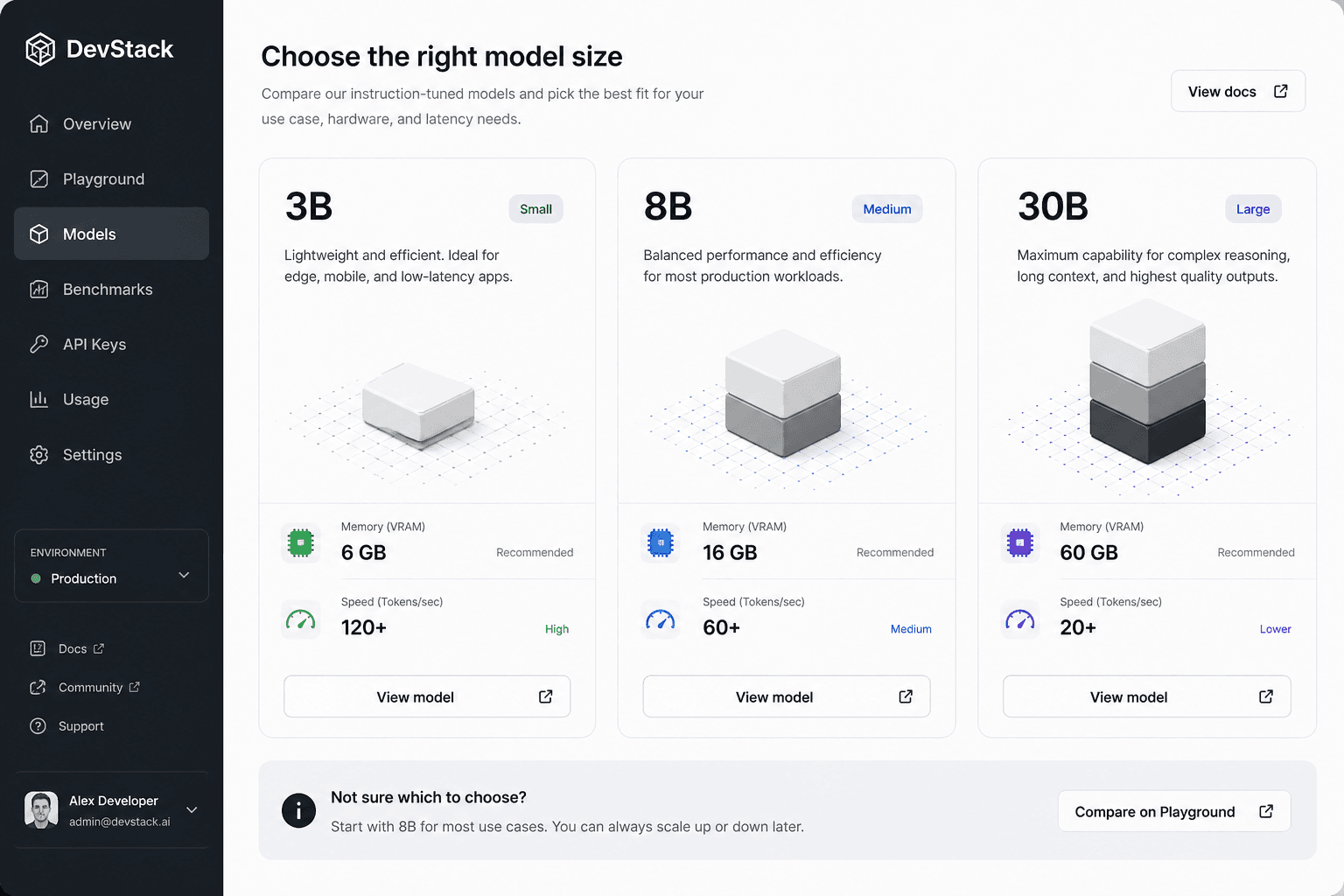
Choose 3B if:
- you want lower memory pressure
- you need faster experiments on lighter hardware
- your task is mostly classification, extraction, templated writing, or lightweight assistant work
Choose 8B if:
- you want the most practical starting point
- you need a balance of quality and cost
- you care about local deployment but still want stronger general reasoning and coding help
Choose 30B if:
- you have serious GPU resources
- you need stronger quality on harder prompts
- your workflow benefits from keeping an Apache 2.0 open model while pushing closer to higher-end performance
For many real teams, the 8B model will probably be the most important one. It is large enough to be useful, but still realistic enough to evaluate for local or hybrid workflows.
Where Granite 4.1 Is a Good Fit
Granite 4.1 looks especially relevant in the following cases:
Internal knowledge assistants
If your team needs a model for long policies, product docs, SOPs, or engineering notes, long context plus RAG support is the obvious attraction.
Structured output workflows
If you regularly turn messy text into clean JSON, tables, summaries, or extracted fields, Granite 4.1’s function-calling and extraction-friendly positioning makes it worth testing.
Coding support with open weights
The FIM support and code-task positioning make it interesting for editor integrations, code helpers, and patch-generation workflows where open deployment matters.
Enterprise pilots that need low licensing friction
Apache 2.0 is a real advantage here. Many companies want strong controls over where a model runs, how it is logged, and how it is customised.
This is also where the ToolMintX angle becomes practical rather than promotional. If your workflow already includes prompt cleanup, content transformation, text extraction, formatting, or developer productivity utilities, Granite 4.1 is the kind of model you can test inside those pipelines without immediately committing to a heavyweight proprietary stack.
Practical Examples
Here are a few grounded ways to evaluate Granite 4.1 in one afternoon.
Example 1: Knowledge-base summariser
Feed the model a long internal help document and ask for:
- a 100-word summary
- five action bullets
- a JSON block with product names, dates, and owners
This quickly shows whether the model can maintain structure and follow output rules.
Example 2: Code change explainer
Give the model a patch or a diff and ask it to:
- explain the change in plain English
- identify any risky parts
- propose a test checklist
That is often more useful than generic code generation demos.
Example 3: Multilingual support workflow
Take a customer issue in one language and ask Granite 4.1 to:
- summarise the issue in English
- classify priority
- draft a short support reply
If that works reliably, the model becomes interesting for operational tooling, not just experimentation.
FAQ
Is Granite 4.1 open source?
IBM’s Granite 4.1 language models are released under the Apache 2.0 license, which is one of the most business-friendly licenses in the current model market.
Can Granite 4.1 run locally?
Yes. Granite 4.1 is available through Hugging Face, and Ollama already lists runnable model variants, including the 8B release.
Which Granite 4.1 model should most people start with?
The 8B model is the most sensible first stop for many users because it offers a better balance between capability and deployment realism.
Is Granite 4.1 mainly for enterprises?
It is clearly enterprise-aware, but the open release and local tooling availability make it useful for independent developers, labs, and power users too.
Does long context automatically mean better results?
No. Long context is useful, but you still need to test retrieval quality, prompt design, and output reliability on your own tasks.
Conclusion
Granite 4.1 is not just another open-model release to add to a growing list. It is a practical signal that the open AI market is still moving toward usable, licensable, workflow-friendly models instead of only bigger ones.
The most important question is not whether Granite 4.1 tops every benchmark. The better question is whether it gives teams a dependable open option for summarisation, RAG, code tasks, multilingual work, and structured output without making deployment harder than it needs to be.
That is why this launch matters. Granite 4.1 looks like a model family built for people who actually have to ship things.
Sources
- IBM Granite and Hugging Face release materials, accessed April 30, 2026
- Ollama Granite 4.1 model listing, accessed April 30, 2026
- Hugging Face Granite 4.1 technical release notes, accessed April 30, 2026
More From ToolMintX
Other Blog Posts

April 30, 2026
Why Google Is Trending Today: What Alphabet’s Q1 2026 AI Numbers Actually Mean
An April 30, 2026 explainer on Alphabet Q1 results, AI Mode and AI Overviews in Search, and why Google Cloud growth is central to the trend spike.

April 29, 2026
Punjab Kings vs Rajasthan Royals Scorecard: RR Chase 223
Full PBKS vs RR IPL 2026 scorecard recap with Donovan Ferreira, Shubham Dubey, Stoinis, standings context, and match photos.

April 28, 2026
May 1 LPG Rule Changes: What Is Confirmed and What Is Still Speculation
A verified guide to May 1 LPG rule-change claims, official price pages, refill limits, and PMUY eKYC requirements.