By Jyoti Ranjan Swain · April 29, 2026
Unsloth Studio Could Be the Local AI Workbench to Watch in 2026
Unsloth Studio brings local inference, dataset creation, no-code fine-tuning, and model export into one offline-first workflow. Here is why that matters for developers in 2026.
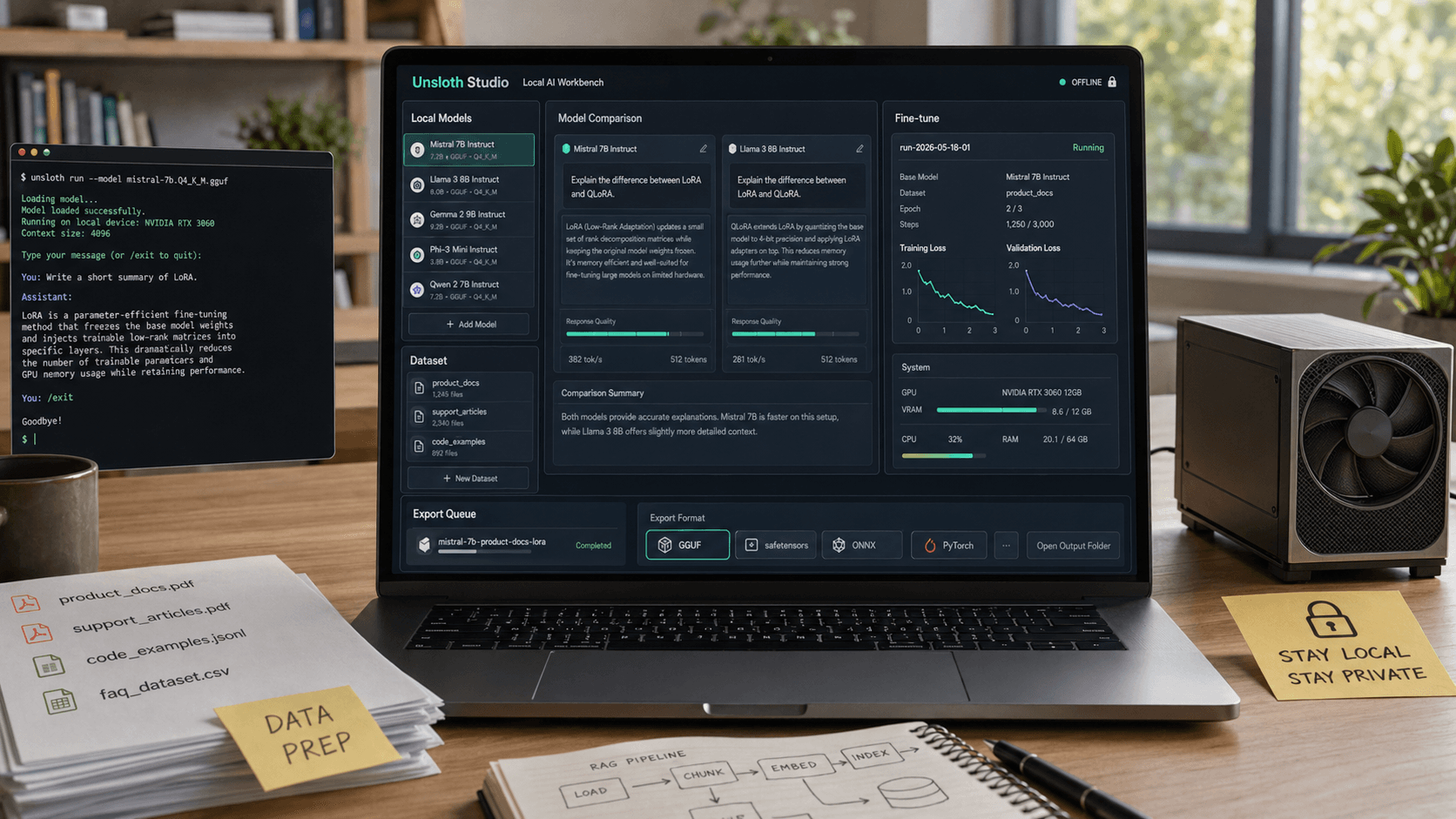
If 2025 was the year local AI became possible for more developers, 2026 is starting to look like the year local AI workflows finally get easier to manage. That is why Unsloth Studio matters.
A lot of open-source AI tools are still built for people who are comfortable stitching together Python notebooks, inference servers, quantized model files, data prep scripts, and export steps by hand. That stack is powerful, but it also creates friction. The more parts you have to connect, the harder it is to move from curiosity to a repeatable workflow.
Unsloth is trying to shrink that gap. Its recent Unsloth Studio push turns local model running, dataset preparation, training, and export into a single interface. The story here is not just that it is a new UI. The real story is that local AI is maturing from a collection of separate enthusiast tools into something closer to a practical workbench.
Why Unsloth Studio stands out right now
On Unsloth's site and docs, the pitch is unusually direct. Unsloth Studio is an open-source, no-code web UI for running and training models locally. It supports GGUF and safetensors models, can compare models side by side, can auto-create datasets from files like PDFs, CSVs, and JSON, and can export models to formats used by other inference stacks.
That combination matters because it covers the entire loop that many people actually care about:
- try a model locally
- compare outputs
- prepare task-specific data
- fine-tune the model
- watch training progress
- export the result into the environment where you really want to use it
A lot of local AI products solve only one or two of those steps. Unsloth Studio is more interesting because it is trying to make the whole path feel continuous.
The bigger shift: local AI is becoming operational, not just experimental
This is the angle worth paying attention to. Local AI used to feel like a technical flex. You downloaded a model, got it to run, took a screenshot, and moved on. The next phase is different. Now the question is whether local models can become part of everyday work.
That requires four things:
1. Easier inference
If a tool can run GGUF and safetensors models, compare outputs, and expose an OpenAI-compatible API, it starts becoming useful beyond hobby chat. It can sit in a real workflow for coding, summarization, extraction, classification, or internal assistant tasks.
2. Easier data preparation
This is one of the most underrated bottlenecks in local AI. Teams do not usually fail because they cannot find a model. They fail because their documents, spreadsheets, and internal knowledge are messy. A tool that turns source files into structured training data without making the user hand-roll every step is solving a real problem.
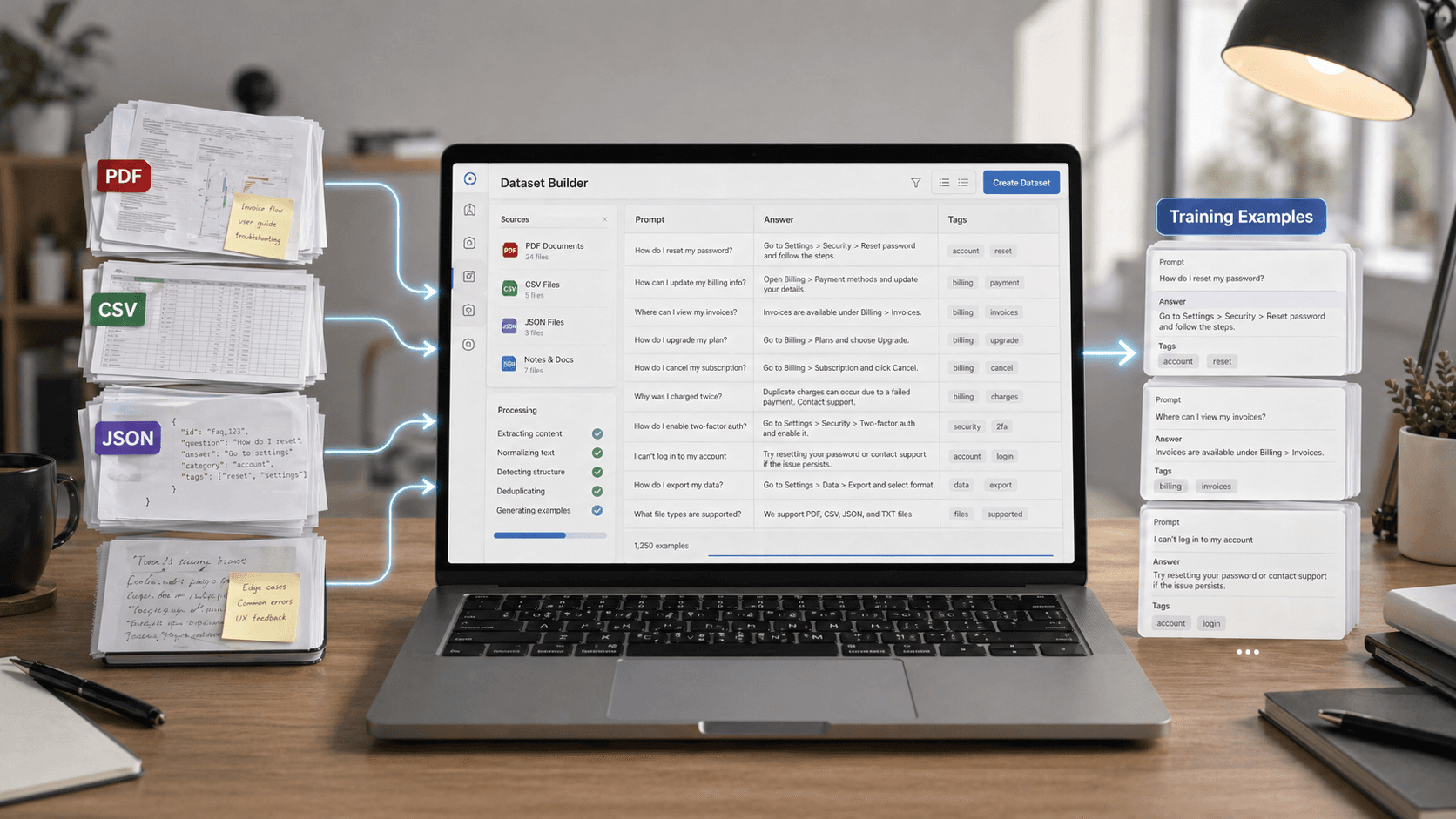
3. Easier fine-tuning
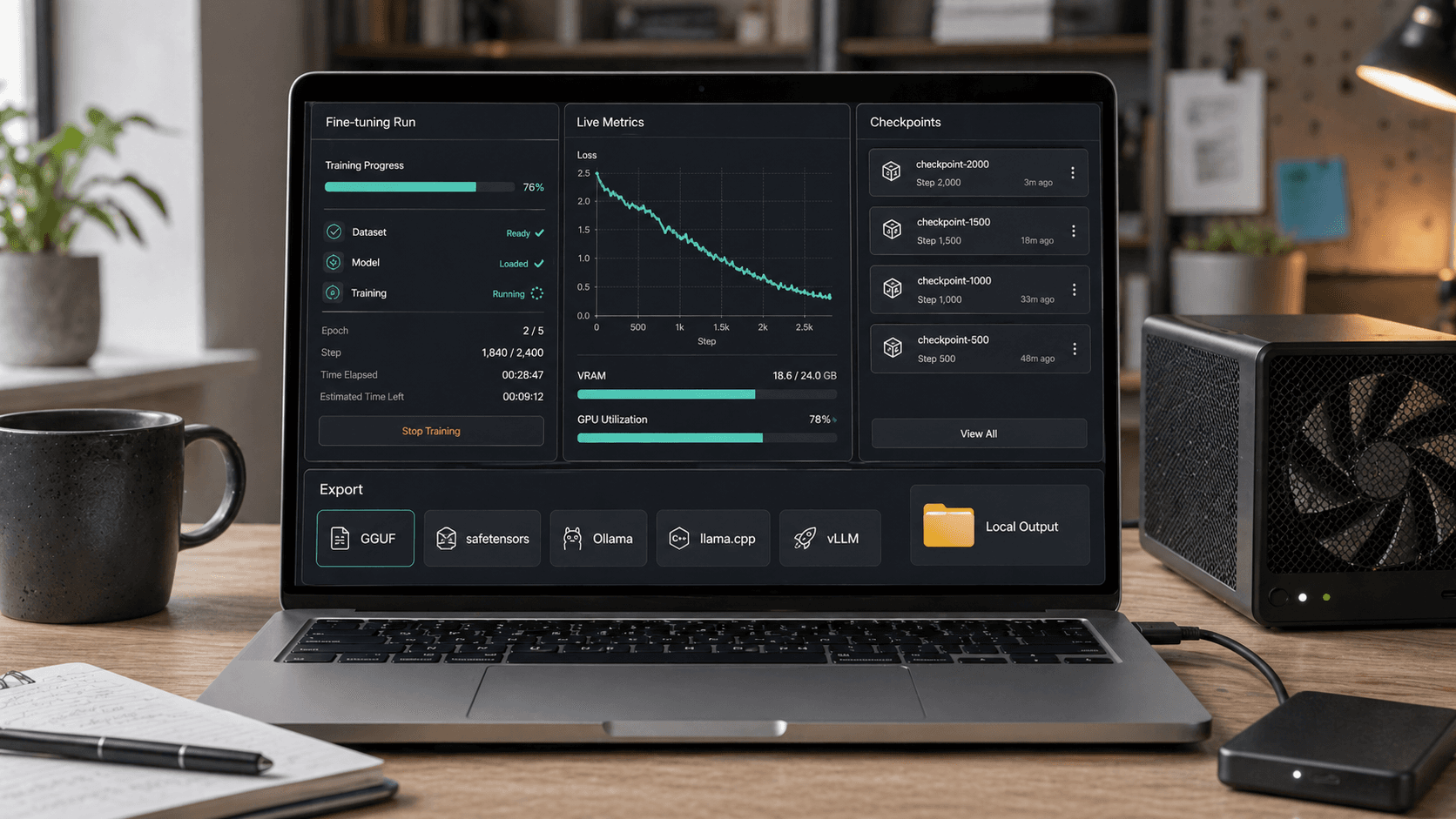
Unsloth has built its reputation around faster, lower-VRAM training. In Studio, that story becomes more accessible because the user does not have to start from a code-first mental model just to begin a run.
4. Easier export and deployment handoff
This may be the part that makes Studio more than a demo. If a model can be exported for GGUF-style local use or handed off to tools in the Ollama, llama.cpp, or vLLM ecosystem, the workflow does not stop inside one app.
Who should care most about this
Unsloth Studio is not for everyone, but it fits several groups especially well.
Independent developers and power users
If you want to test open models, compare small variants, build private assistants, or run narrow task-specific models without sending data to an external API, Studio is appealing because it reduces setup overhead.
Small teams with sensitive documents
For teams that want local handling of contracts, support transcripts, internal docs, or product notes, the offline-first angle matters. Unsloth says Studio can run locally and its requirements docs also make clear that inference, data recipes, and export work across macOS, Windows, and Linux, including CPU-only setups, while training currently leans on NVIDIA GPUs.
Builders who want a bridge, not a replacement
This is an important distinction. Studio does not have to replace every other tool in the local AI stack. It can be the place where you test, prep, fine-tune, and then export into the serving environment you already prefer.
What the tradeoffs look like in practice
No local AI tool removes the fundamental constraints of local AI. It just changes where the friction lives.
The biggest limits are still the familiar ones:
- hardware determines what models feel comfortable
- training remains more constrained than inference
- some advanced users will still outgrow a GUI and want code-level control
- benchmark headlines do not always translate into dependable task performance
That means the smartest way to think about Unsloth Studio is not as a magical replacement for code. It is a workflow accelerator.
If you are an experienced ML engineer, you may still prefer custom scripts, hand-tuned training runs, and direct control over every export and deployment setting. But for a lot of users, the real barrier is not theory. It is setup fatigue. Studio is valuable because it targets that fatigue directly.
Why this matters beyond Unsloth
The local model ecosystem has been missing a common shape. We have had great components: model hubs, quantization tools, local runners, fine-tuning libraries, and serving frameworks. What we have not consistently had is a friendly layer that connects them into one practical experience.
That gap is exactly why tools like Ollama, LM Studio, and now Unsloth Studio keep gaining attention. They lower the activation energy. And when the activation energy drops, more people move from reading about local AI to actually building with it.
That matters for open-source AI as a whole. Better local workflows make open models more competitive in the situations where users care most about privacy, customization, cost control, and fast iteration on specialized tasks.
The real test for Unsloth Studio
The next question is not whether Unsloth Studio looks promising. It does. The real question is whether users can get from first install to a repeatable result quickly enough that the tool becomes part of their standard setup.
If Unsloth keeps improving model support, platform coverage, dataset tooling, and export reliability, Studio could become one of the more important interfaces in local AI this year. Not because it introduces a brand-new model, but because it makes open models easier to run, tune, and reuse.
That is a bigger deal than it sounds. In 2026, the winning local AI tools may not be the ones with the flashiest benchmark charts. They may be the ones that turn fragmented open-source capability into something ordinary enough to use every week.
Conclusion
Unsloth Studio looks important because it treats local AI as a workflow, not a one-off experiment. By combining offline model running, visual dataset creation, no-code fine-tuning, live observability, and export into one place, it pushes local AI closer to something teams can actually operationalize.
For readers who care about open-source AI, private model workflows, or practical fine-tuning without building a pipeline from scratch, this is one of the more useful tools to watch right now.
More From ToolMintX
Other Blog Posts

April 29, 2026
Punjab Kings vs Rajasthan Royals Scorecard: RR Chase 223
Full PBKS vs RR IPL 2026 scorecard recap with Donovan Ferreira, Shubham Dubey, Stoinis, standings context, and match photos.

April 28, 2026
May 1 LPG Rule Changes: What Is Confirmed and What Is Still Speculation
A verified guide to May 1 LPG rule-change claims, official price pages, refill limits, and PMUY eKYC requirements.

April 29, 2026
Why Apple’s John Ternus Era Could Be More About Hardware Discipline Than a Sudden AI Pivot
Apple’s April 2026 leadership transition points to hardware discipline, product execution, and integrated AI strategy.